WhatsApp Export Analysis for Schools: A Complete Guide for Principals in 2025
In this article
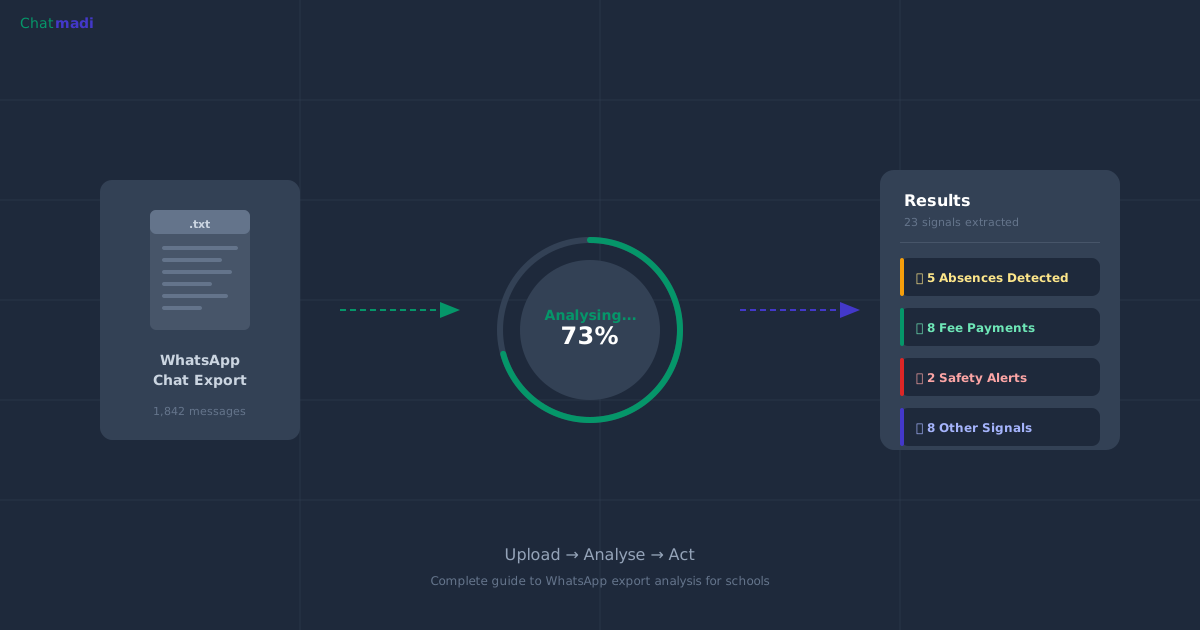
Most Indian school principals do not know that WhatsApp has a built-in feature that exports any conversation as a plain text file. This single feature, available on every Android and iPhone, is the foundation of WhatsApp export analysis for schools. When a teacher exports a parent conversation, the resulting .txt file contains every message, every timestamp, and every sender name in a structured format that AI can read and analyse. Chatmadi was built specifically to process these export files and extract the school intelligence hidden inside them.
What Is WhatsApp Chat Export and Why Do Schools Have Untapped Intelligence in It?
Every WhatsApp conversation can be exported as a .txt file. This is not a third-party feature or a workaround. It is a native WhatsApp capability available on both Android and iOS since 2016. The exported file contains the complete conversation history: date, time, sender name, and message content for every message in the chat. For a school, this means every parent conversation, every class group discussion, and every teacher-parent exchange can be captured in a format that software can read and process. The intelligence trapped in these conversations is substantial. A typical class teacher's parent group contains 40 to 80 messages per day. Over a school term, that is 3,600 to 7,200 messages per class. Across 8 classes, a school generates 28,000 to 57,000 parent messages per term. Within those messages are absence notifications, fee payment confirmations, homework questions, PTM confirmations, welfare concerns, and dozens of other signals that currently go unrecorded. WhatsApp export analysis for schools is the process of extracting this intelligence systematically.
The WhatsApp Export Method vs WhatsApp API: Which Is Right for Your School?
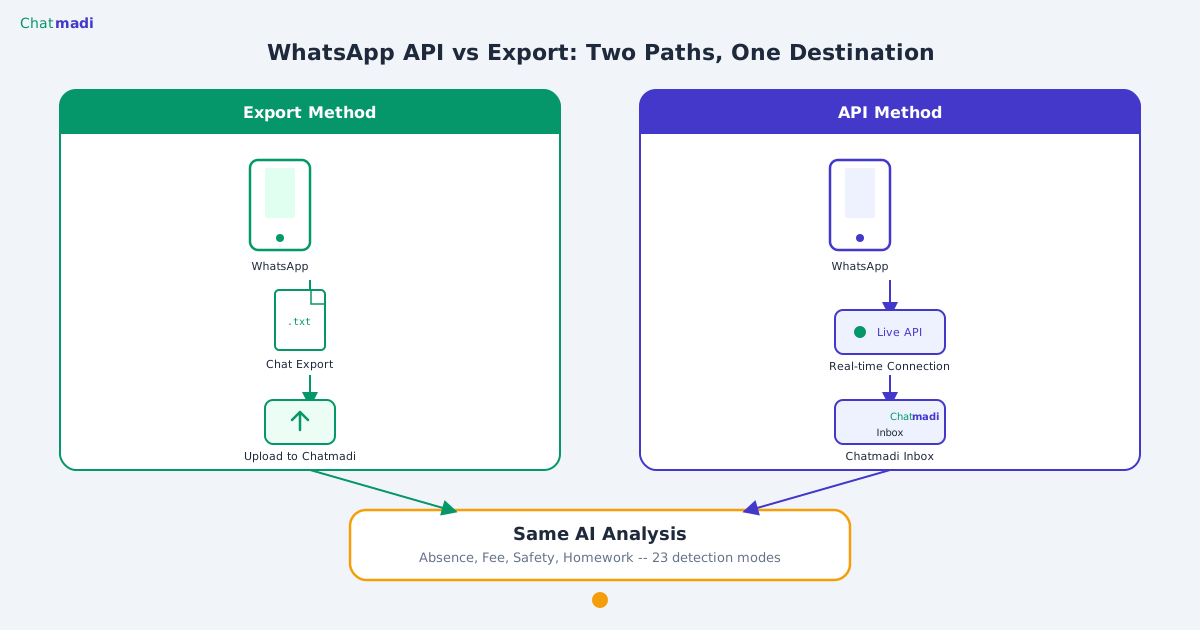
There are two ways a school can connect WhatsApp to a management platform like Chatmadi. The first is the export method: teachers manually export conversations as .txt files and upload them. The second is the WhatsApp Business API: the school's WhatsApp number is connected directly to Chatmadi for real-time message ingestion. Both methods work with Chatmadi. The export method is available on all plans, including the free Starter plan. It requires no technical setup, no Meta developer account, and no API configuration. Teachers simply export and upload. The API method is available on Pro and School plans and provides a real-time inbox with the ability to reply to parents directly from the Chatmadi dashboard. For most schools starting out, the export method is the recommended approach. It provides full access to all 23 AI analysis modes, all dashboards, and all school intelligence features. The API integration can be added later as the school scales its usage. Chatmadi processes both export files and API messages through the same AI pipeline, so the intelligence quality is identical regardless of the input method.
How Chatmadi Processes WhatsApp Export Files
When a .txt file is uploaded to Chatmadi, the processing pipeline runs in several stages. First, the parser identifies the WhatsApp format, which varies slightly between Android and iOS exports, and extracts individual messages with their timestamps and sender names. Second, the contact matcher identifies the sender and attempts to match them to a parent or contact record in the school's database using name matching and phone number lookup. Third, the AI analysis engine runs all 23 analysis modes simultaneously on the extracted messages. This includes absence detection, fee payment identification, homework acknowledgement tracking, child safety signal detection, PTM RSVP recognition, medical alert detection, exam enquiry classification, and 16 additional modes. Fourth, each detected signal is categorised, scored for confidence, and presented on the relevant dashboard. The entire process from upload to dashboard update typically takes 10 to 30 seconds per conversation.
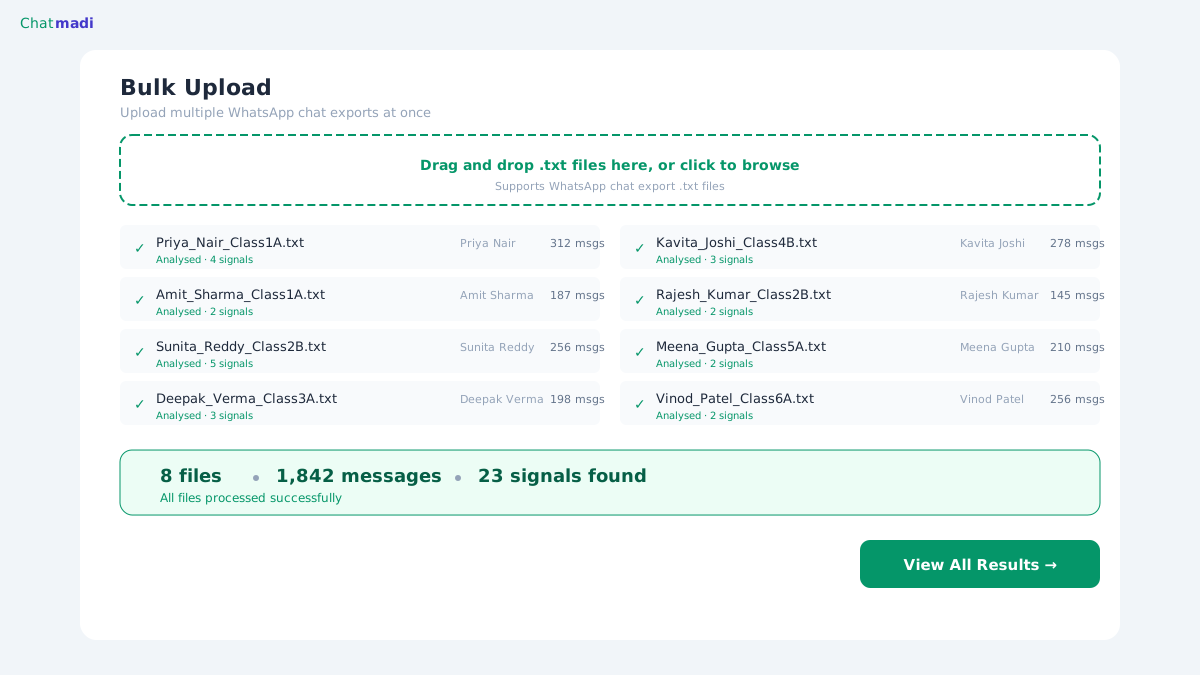
Chatmadi bulk upload page showing 8 WhatsApp files processed with signal counts
How-To: Exporting and Uploading 30 WhatsApp Chats in Under 10 Minutes
Here is the step-by-step process for a class teacher to export and upload their conversations.
On Android: Open WhatsApp. Tap on the parent conversation or group. Tap the three-dot menu in the top right. Select More, then Export Chat. Choose Without Media when prompted (media files are not needed for text analysis). Save the file to your phone or share it directly.
On iPhone: Open WhatsApp. Tap on the conversation. Tap the contact name or group name at the top. Scroll down and tap Export Chat. Select Without Media. Save or share the .txt file.
Repeat this for each conversation you want to analyse. Most teachers report that exporting a single chat takes about 10 seconds once they are familiar with the process. For 30 conversations, the export process takes approximately 5 minutes.
To upload, log into Chatmadi and navigate to Conversations, then Bulk Upload. Drag and drop all 30 .txt files into the upload zone or click to select them. Chatmadi processes them sequentially and shows real-time progress for each file. After all files are processed, click Analyse All to run AI analysis on every conversation. The results appear on your dashboard within minutes.
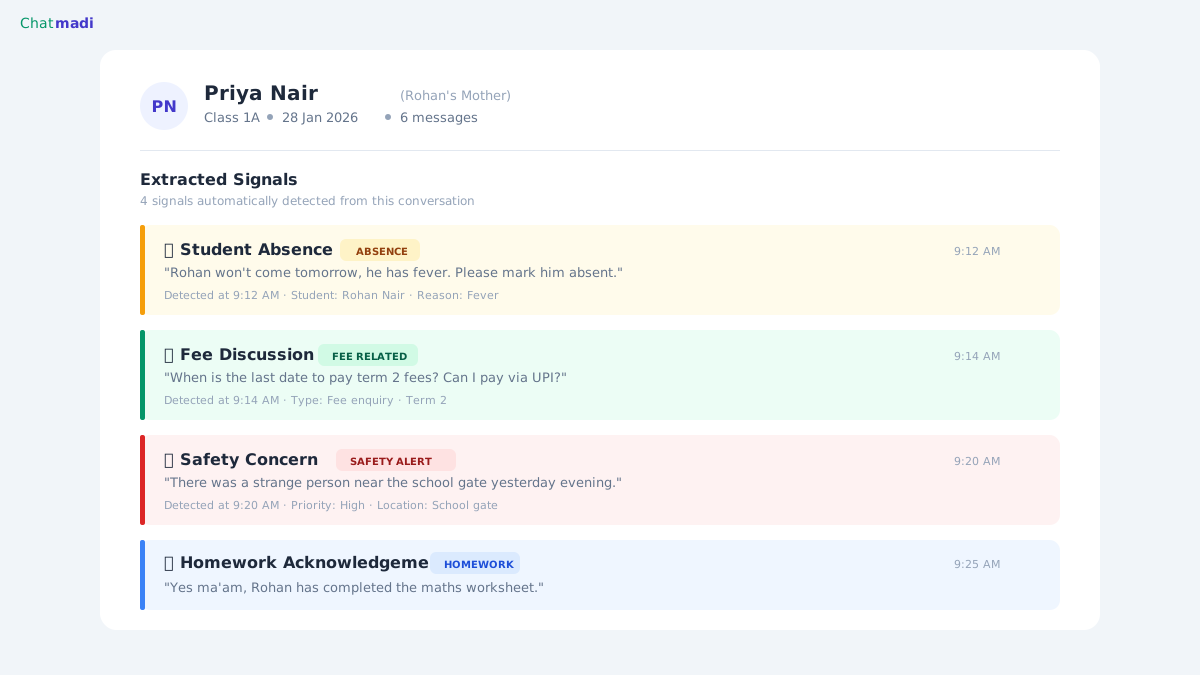
Chatmadi analysis results for a parent conversation showing 4 extracted signals
What the AI Finds in Your School's WhatsApp Exports
The signals Chatmadi extracts from school WhatsApp conversations fall into several categories. Attendance signals include absence reports, late arrival notices, early pickup requests, and return-from-absence confirmations. Financial signals include fee payment confirmations (GPay, UPI, cash, bank transfer), payment queries, instalment requests, and fee structure questions. Academic signals include homework acknowledgements, exam result queries, tuition requests, and progress report discussions. Welfare signals include bullying reports, emotional distress mentions, health concerns, isolation indicators, and home environment references. Operational signals include PTM confirmations, event RSVPs, transport queries, document requests, and circular acknowledgements. Each school's WhatsApp conversations typically contain 2 to 4 actionable signals per conversation per day. For a school with 8 classes, that translates to 16 to 32 signals per day that previously went unrecorded. Chatmadi captures all of them and routes them to the right person. This is the core promise of WhatsApp export analysis for schools: turning conversations into intelligence without anyone reading through thousands of messages manually.
Frequently Asked Questions
Can I export a WhatsApp group with 50 members?
Yes. WhatsApp allows exporting any conversation or group regardless of member count. The exported file will contain all messages from all participants. Chatmadi identifies each sender individually.
Does exporting a chat notify the other person?
No. WhatsApp does not notify anyone when you export a conversation. It is a private action that only affects the device performing the export.
What file format does the export produce?
WhatsApp exports conversations as .txt (plain text) files. Chatmadi accepts this format directly. No conversion or formatting is needed.
Can Chatmadi process conversations in languages other than English?
Yes. Chatmadi handles Hindi, Kannada, Tamil, Telugu, Marathi, Bengali, and other Indian languages, including mixed-language messages where parents switch between English and a regional language within the same sentence.
How far back can I export conversations?
WhatsApp exports the entire conversation history stored on the device. If the chat has 6 months of messages, all 6 months are included in the export. Chatmadi analyses the complete file.
---
Your school's WhatsApp conversations contain thousands of signals that go unrecorded every month. Chatmadi reads all of them. Start free at chatmadi.com
The Chatmadi team writes about AI-powered parent communication, school management best practices, and WhatsApp intelligence for Indian schools. Built by Eduloom Technologies OPC Pvt Ltd, Mysore.