How to Build a Data-Driven School Administration System from Scratch
In this article
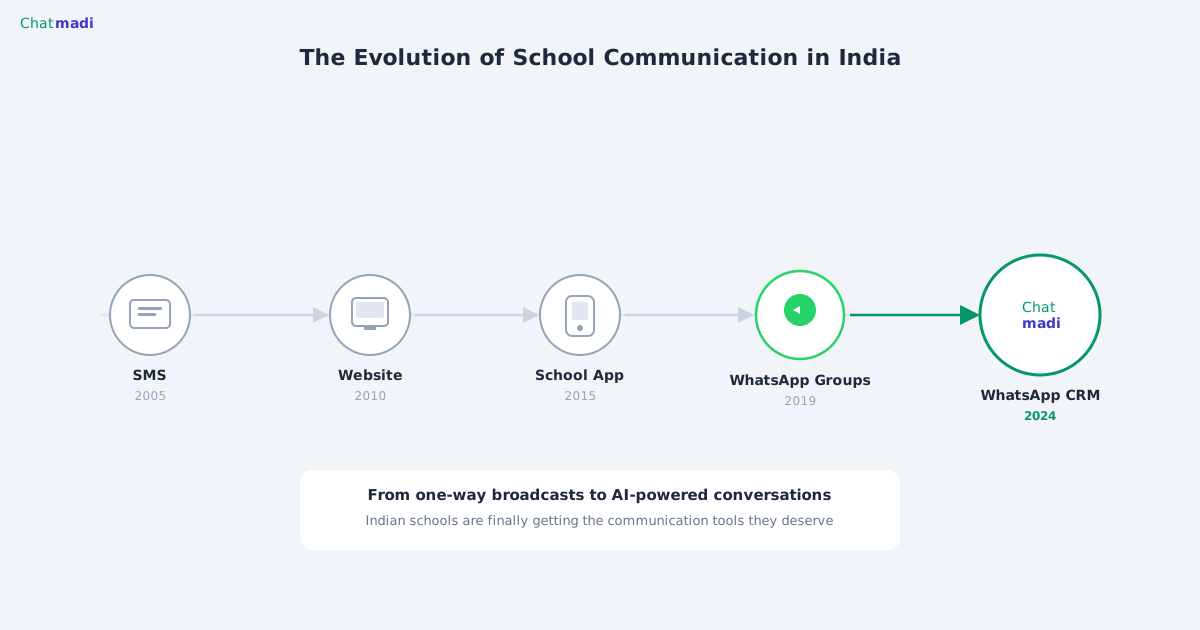
Most Indian schools manage their operations using a combination of WhatsApp, paper registers, Excel spreadsheets, and memory. This is not a criticism. It is a reality that reflects a decade of incremental technology adoption without a unifying system. The school that wants to become data-driven does not need to replace everything at once. It needs a single platform that reads the data already flowing through the school and makes it visible, actionable, and structured. Finding a school admin software India free option that does this is the first step. Chatmadi provides exactly this starting point, with a free Starter plan and a structured path to full data-driven administration within 60 days.
What Does a Data-Driven School Administration Actually Look Like?
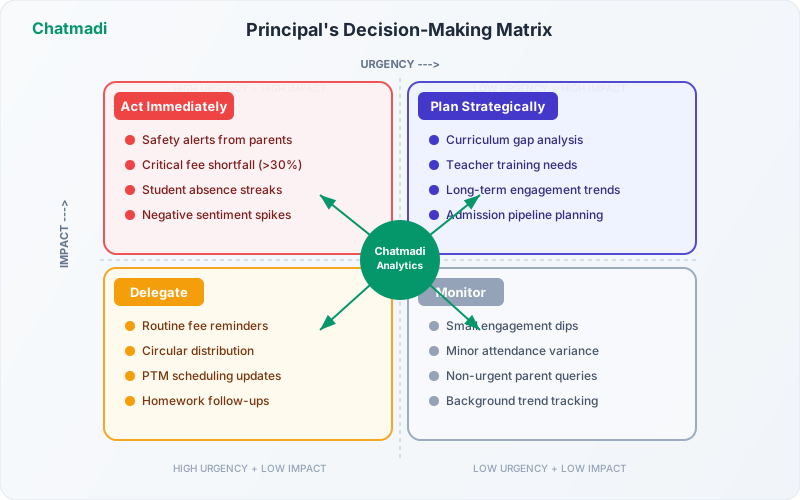
A data-driven school is not one that has more data. It is one where decisions are based on evidence rather than assumptions. When the principal decides which class needs additional support, the decision is based on attendance trends, exam performance, and parent engagement scores, not on which teacher spoke last at the staff meeting. When the accounts team prioritises fee follow-up, the prioritisation is based on overdue duration and payment risk indicators, not on alphabetical order or random selection. When a class teacher schedules a PTM, the agenda is informed by AI-analysed parent communication, homework acknowledgement gaps, and specific student welfare flags, not by a generic template. Each of these decisions requires data that already exists in the school's daily operations. The challenge is making that data visible and accessible at the moment a decision needs to be made.
The 10 Pillars of a Modern School Admin System
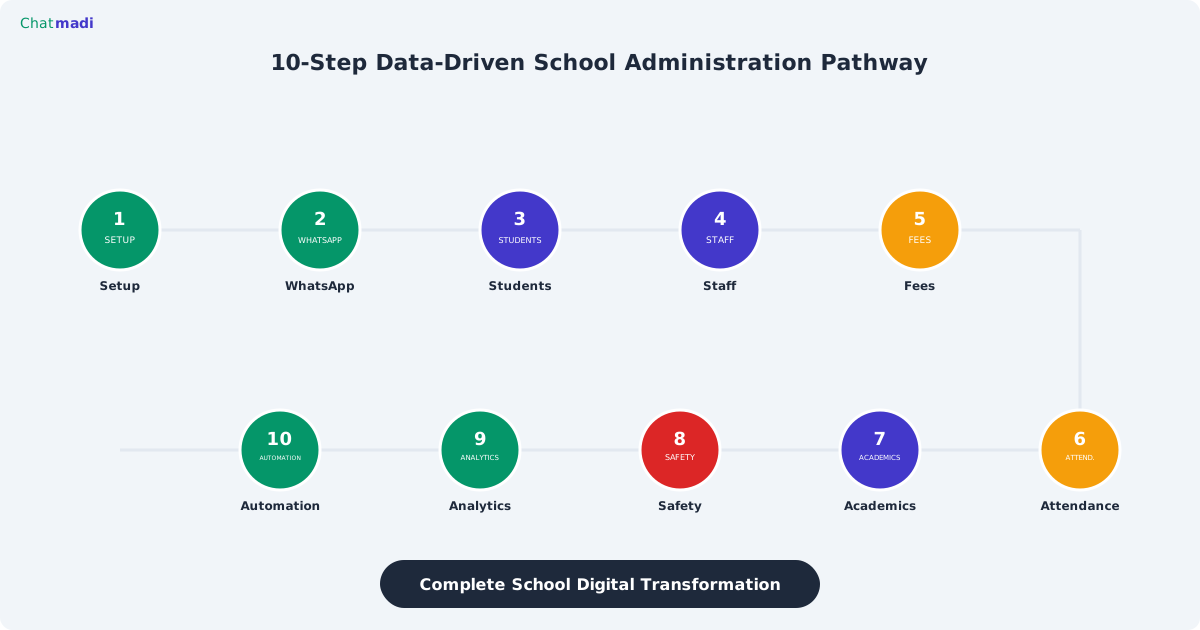
A complete data-driven school administration system rests on ten pillars. Pillar one: school identity and configuration, the foundation that defines classes, academic year, and organisational structure. Pillar two: WhatsApp intelligence, the engine that reads parent communication and extracts actionable signals. Pillar three: student management, the database that tracks every student's profile, enrollment, and history. Pillar four: staff management, the system that assigns teachers to classes and tracks their engagement and performance. Pillar five: fee management, the module that tracks structures, payments, outstanding balances, and AI-detected confirmations. Pillar six: attendance intelligence, the system that records absences, detects patterns, and flags at-risk students. Pillar seven: academic tracking, the module that records exam results, generates analysis, and tracks curriculum progress. Pillar eight: safety and welfare, the system that scans for concerns, escalates alerts, and maintains audit trails. Pillar nine: analytics and reporting, the dashboard that transforms raw data into trends, insights, and action items. Pillar ten: automation, the layer that generates weekly digests, sends reminders, and reduces manual work across all modules. Chatmadi provides all ten pillars in a single platform. School admin software India free plans start with pillars one through three, and paid plans unlock the complete stack.
How Chatmadi Builds Each Pillar Automatically
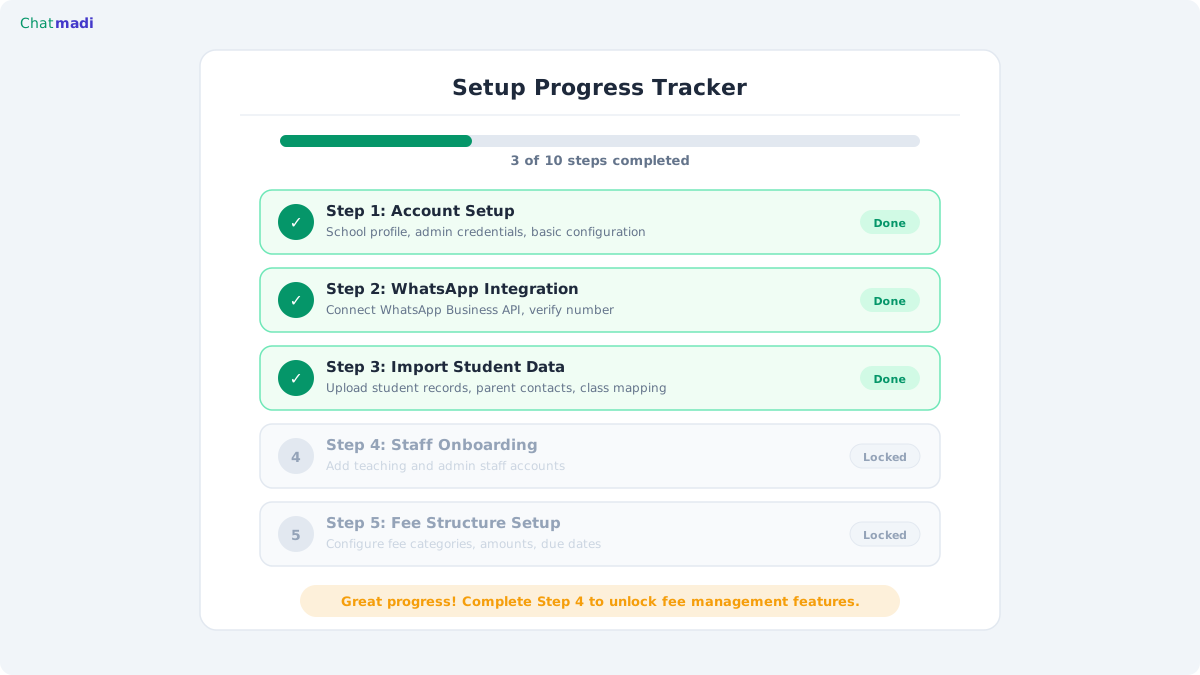
The beauty of Chatmadi's architecture is that most pillars are built automatically from the same data source: WhatsApp conversations. When a teacher uploads parent conversations, the AI populates multiple pillars simultaneously. An absence mentioned in a message feeds the attendance pillar. A fee payment confirmation feeds the fee pillar. A homework acknowledgement feeds the academic pillar. A safety concern feeds the welfare pillar. The teacher does one action (upload conversations) and six pillars receive data. The remaining pillars require one-time setup actions. Student management requires importing student data via Excel or CSV, a task that takes 30 minutes for most schools. Staff management requires inviting teachers and assigning them to classes, which takes 15 minutes. Fee management requires defining fee structures and payment schedules, which takes 20 minutes. Academic tracking requires entering exam results after each assessment, which happens naturally as part of the school's existing exam workflow. The setup tracker in Chatmadi guides schools through each pillar step by step, showing exactly what has been completed and what remains.
Chatmadi school setup progress tracker showing completed and pending onboarding steps
How-To: Your 60-Day School Transformation Roadmap
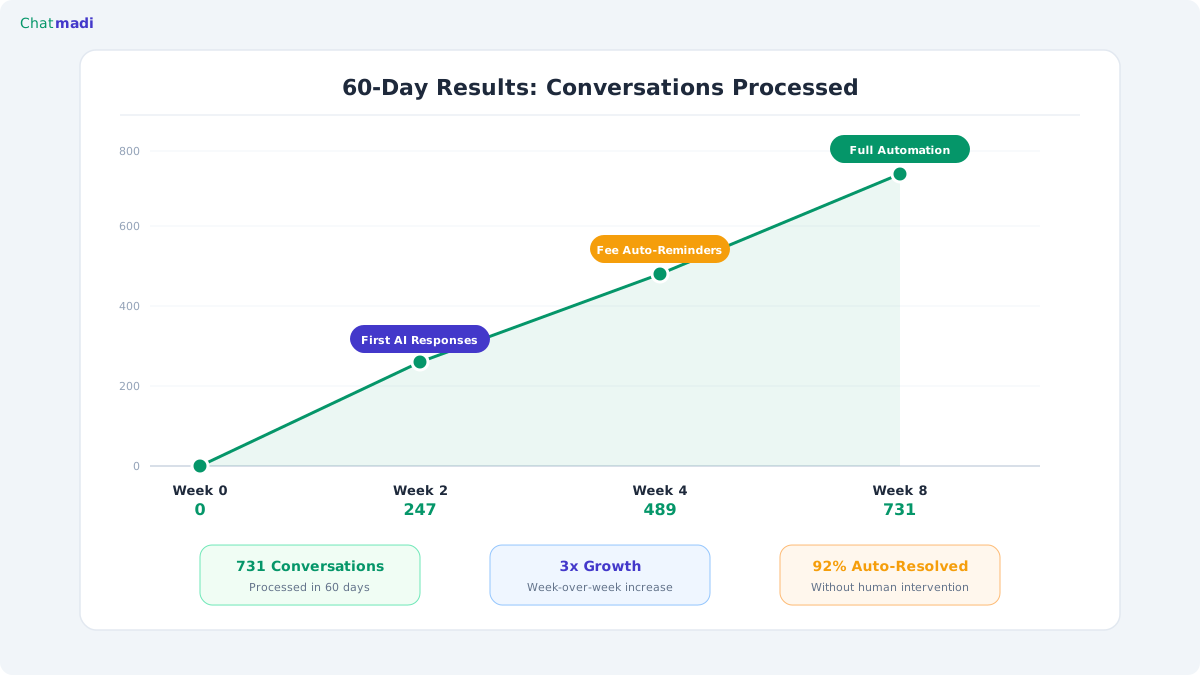
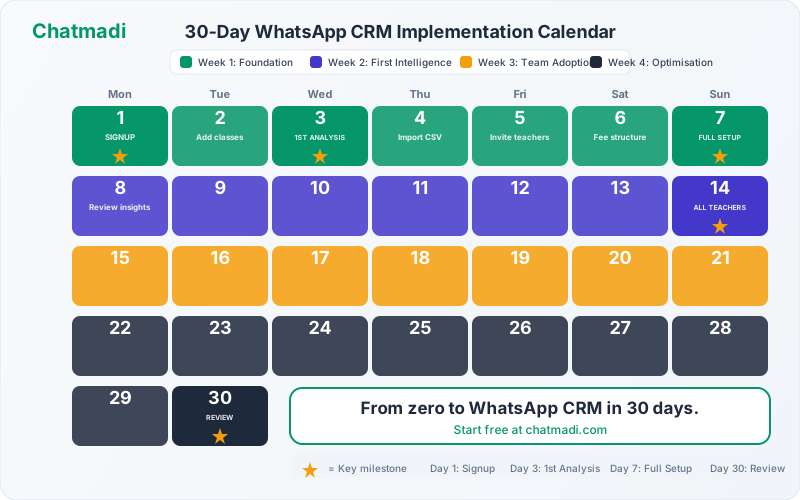
The 60-day roadmap transforms a school from WhatsApp-and-paper to fully data-driven. Days 1 to 3: complete the Chatmadi setup wizard, add classes, import students via Excel template, and define fee structures. Days 4 to 7: invite class teachers, assign them to classes, and conduct a 15-minute training session on how to export WhatsApp conversations. Days 8 to 14: teachers begin daily uploads. The AI starts extracting signals. Review the first week's dashboard data and celebrate the "aha" moments, the absence that was caught, the fee payment that was discovered, the safety concern that was flagged. Days 15 to 30: establish the daily rhythm. Teachers upload in the morning, review dashboards during free periods, confirm or dismiss AI detections. The principal conducts their first weekly analytics review. Days 31 to 45: enter Term 1 exam results. Run the AI exam analysis. Schedule PTMs using the PTM module. Review staff performance scores for the first time. Days 46 to 60: the system is fully operational. All ten pillars are active. The weekly digest arrives automatically every Monday. The principal makes decisions based on dashboard data. Fee collection is tracked in real time. Safety alerts are surfaced the day they are raised. The school has become data-driven.
Chatmadi 60 day results chart showing conversations processed growing over 4 weeks
What to Measure to Know Your System Is Working
How do you know the transformation is successful? Track these five indicators during the 60-day implementation. First, conversation upload consistency. Are teachers uploading daily? The dashboard shows upload frequency per teacher. By day 30, all assigned teachers should be uploading at least 3 times per week. Second, signal detection volume. How many AI detections are being generated per week? This number should grow as more conversations are uploaded and more historical data is processed. Third, dashboard login frequency. How often are teachers and the principal checking their dashboards? Active daily usage indicates the system has become part of the school's workflow. Fourth, time saved. Ask the accounts team, class teachers, and principal to estimate how much time they spend on WhatsApp monitoring compared to before implementation. The target is a 50% reduction by day 60. Fifth, data completeness. Check whether fee records are being updated, attendance is being tracked, and safety alerts are being resolved. Gaps indicate which pillars need more attention.
Frequently Asked Questions
Can I build a data-driven system if my school has no IT department?
Yes. Chatmadi requires no technical setup, no server management, and no coding. The setup wizard guides non-technical users through every step. The platform runs in a web browser on any device. If a teacher can use WhatsApp, they can use Chatmadi.
How much does it cost to build a complete data-driven school system?
Chatmadi's Starter plan is free forever and covers the first three pillars (school setup, WhatsApp analysis, student management) for 1 class and 30 students. The Growth plan at 500 rupees per month covers most pillars for up to 5 classes. The Pro plan at 1,500 rupees per month provides the complete 10-pillar system for up to 15 classes.
What if my school already uses a school ERP?
Chatmadi complements existing ERPs. The ERP handles student data, report cards, and timetables. Chatmadi handles WhatsApp intelligence, parent communication analysis, fee detection, and safety monitoring. Data can be exported from Chatmadi as CSV and imported into your ERP.
How long before the school sees measurable results?
Most schools report seeing concrete results (discovered fee payments, flagged absences, detected safety concerns) within the first 2 weeks of regular conversation uploads. The full impact of the data-driven system becomes apparent by the end of the first academic term.
---
Your school is already generating the data. Chatmadi helps you see it, use it, and act on it. Start free at chatmadi.com
Tagsschool admin software Indiadata driven school managementschool digital transformationschool productivity toolsChatmadi
C
Chatmadi Team
School Communication Intelligence
The Chatmadi team writes about AI-powered parent communication, school management best practices, and WhatsApp intelligence for Indian schools. Built by Eduloom Technologies OPC Pvt Ltd, Mysore.