How to Manage 30 Parent WhatsApp Groups Without Losing Your Mind
In this article
Mrs. Anita Rao teaches Class 1A at a CBSE school in Hyderabad. She has 35 students, which means 35 sets of parents. She manages a class parent group, a homework update group, participates in two subject WhatsApp groups for Maths and English, and monitors the school-wide broadcast group. That is five groups generating over 200 messages per day. Mrs. Rao's morning routine includes 45 minutes of scrolling through these groups before the first period starts, looking for absence notifications, fee-related queries, and anything that needs immediate attention. This is the daily reality of how to manage parent WhatsApp groups school teachers face across India. It is exhausting, inefficient, and unsustainable.
The Class Teacher's WhatsApp Reality: 30 Groups, 200+ Messages Every Day
The numbers are specific and consistent across schools. A class teacher with 30 to 40 students typically manages 3 to 5 WhatsApp groups. Each group generates 40 to 80 messages per day. The messages range from genuinely important (a child is sick and won't attend) to completely irrelevant (forwarded festival greetings and motivational quotes). The teacher cannot ignore the groups because critical information is mixed in with the noise. A parent who reported a fee payment at 8:15 AM expects the school to acknowledge it. A parent who mentioned their child is being bullied at 4:30 PM expects action by the next day. Teachers who manage parent WhatsApp groups effectively are essentially doing two jobs: teaching and running a real-time communications monitoring operation. Schools with 8 to 12 classes multiply this across every class teacher, creating a system where the school's most important employees spend their most productive hours reading WhatsApp messages instead of teaching.
Why You Can't Just Mute Everything (And What Happens When You Do)
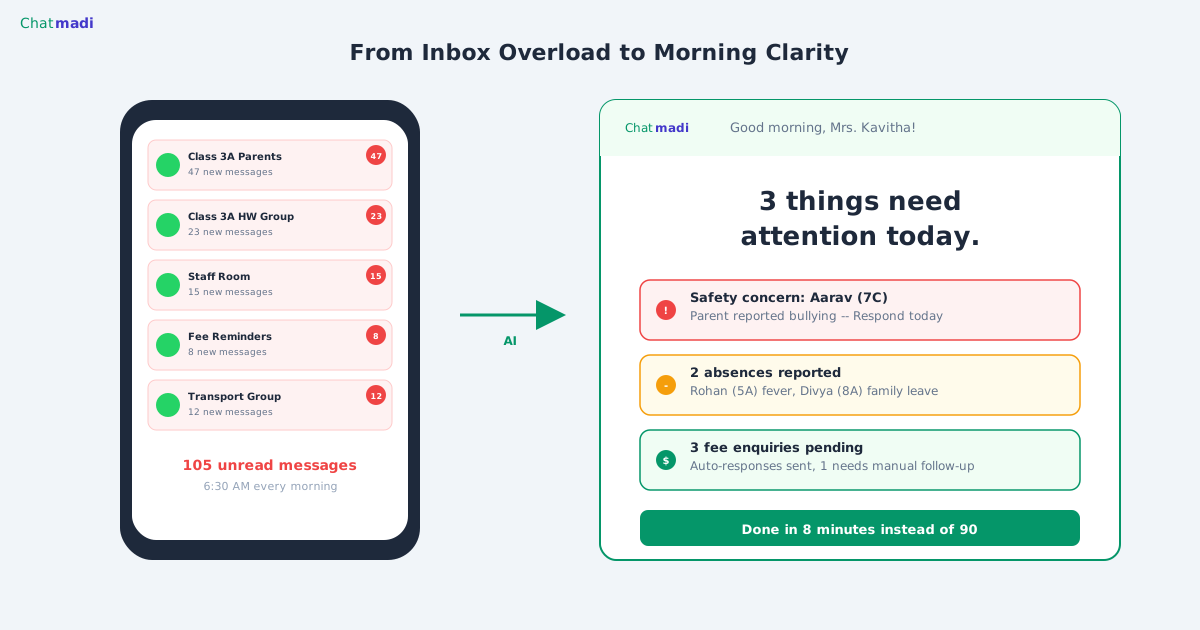
The instinctive response to WhatsApp overload is to mute groups and check them once a day. Teachers who try this quickly discover the consequences. A parent reported their child absent at 7:30 AM. The teacher checked the group at 4:00 PM. The child was marked present all day. Another teacher muted the parent group and missed a safety concern raised on Tuesday. The principal found out on Friday, from a parent complaint. The problem with muting is that WhatsApp groups contain a mix of low-value and high-value messages, and there is no way to separate them without reading everything. A group message that starts with "Good morning ma'am" might end with "also, we paid the term fees yesterday." A message about a forwarded news article might include a postscript about the child feeling unwell. The information architecture of WhatsApp makes it impossible to scan efficiently. This is precisely why schools need a tool that reads everything and surfaces only what matters.
How Chatmadi Becomes Your WhatsApp Assistant for Every Group
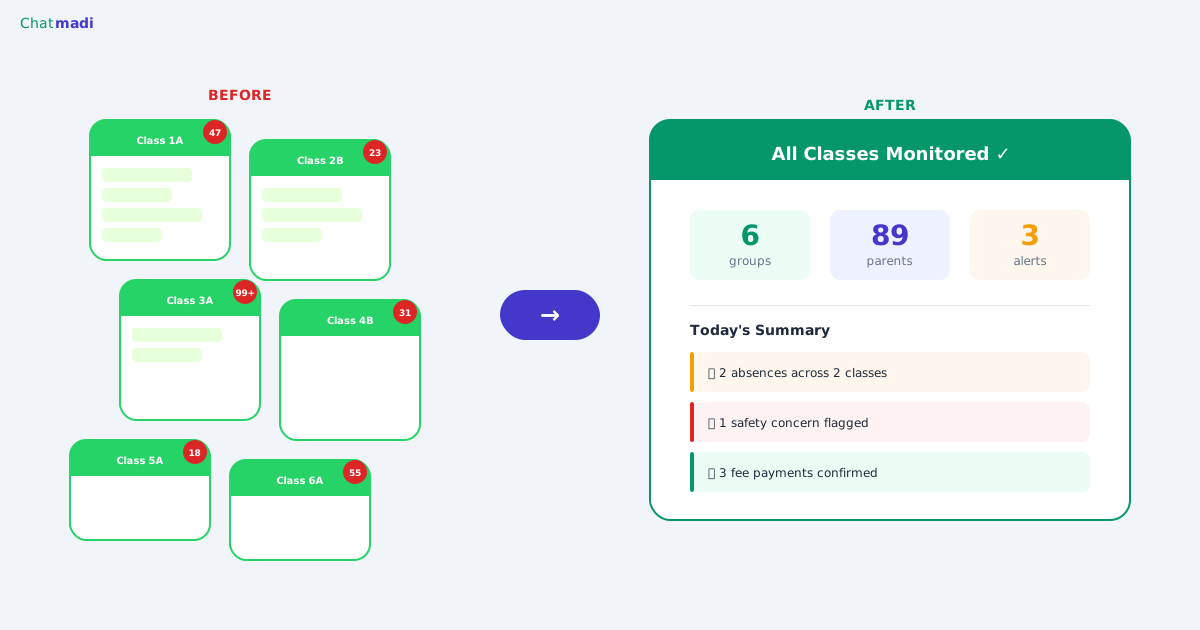
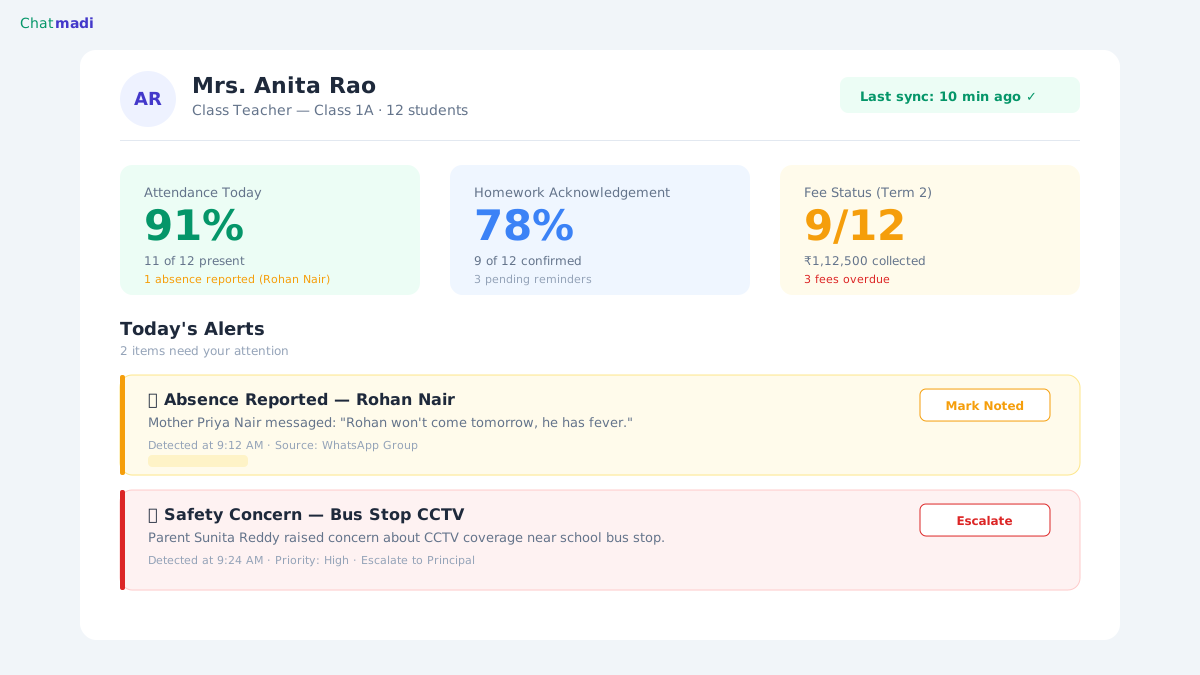
Chatmadi is designed to solve the class teacher's WhatsApp problem specifically. When a teacher exports their parent group conversations and uploads them to Chatmadi, the AI reads every message and extracts only the signals that require attention. The teacher's dashboard shows a clear, prioritised view: who reported absent today, which parents confirmed homework, whether any safety concern was raised, what fee-related queries came in. Instead of reading 200 messages, the teacher reviews 5 to 10 actionable items. The dashboard is scoped to the teacher's class only. Mrs. Rao sees Class 1A. Mr. Vivek sees Class 2B. The principal sees all classes from a single command centre. Chatmadi does not replace WhatsApp. It does not ask parents to use a different app. It sits between WhatsApp and the teacher's workflow, converting unstructured messages into structured, actionable intelligence.
Chatmadi class teacher dashboard showing attendance homework and fee metrics for Class 1A
How-To: Creating a Zero-Stress WhatsApp Management System for Class Teachers
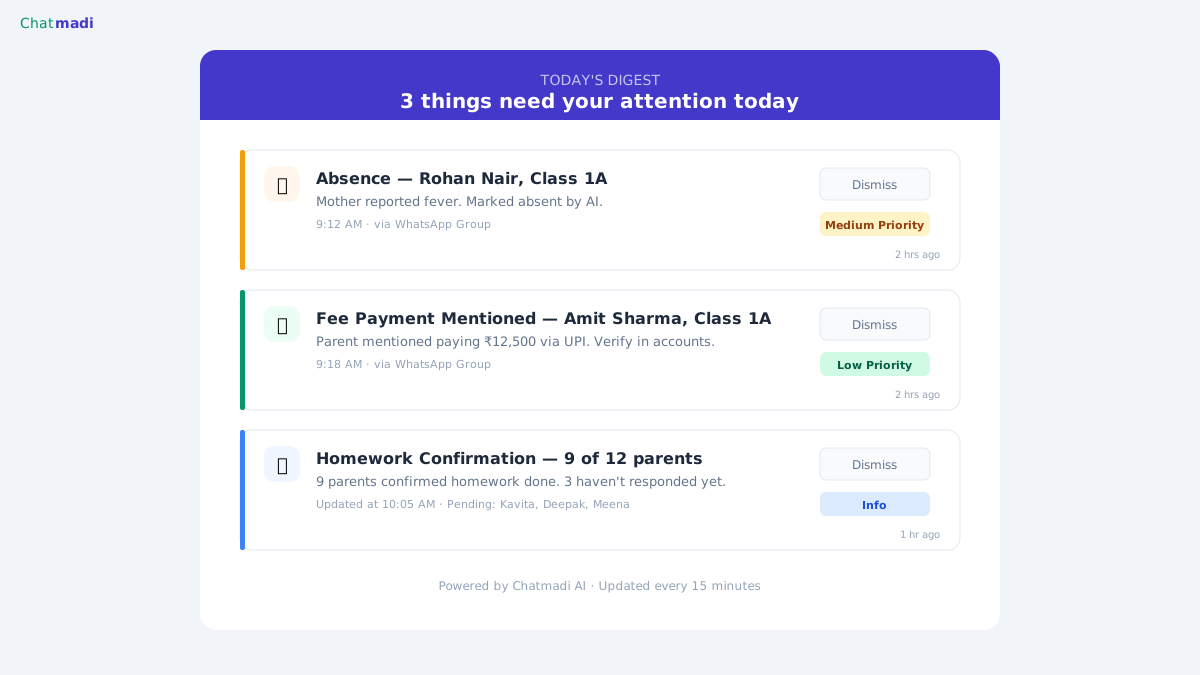
Here is a practical system that schools using Chatmadi report works well. Teachers export their parent group conversations once daily, typically in the morning before the first period. The export takes 10 seconds per group. For 3 groups, that is 30 seconds of export time. The files are uploaded to Chatmadi via the Bulk Upload feature. Within minutes, the AI has analysed all conversations and the dashboard is updated. The teacher spends 10 to 15 minutes reviewing the dashboard instead of 45 to 90 minutes reading groups. The dashboard shows three categories: urgent items requiring same-day action (safety alerts, absences not yet confirmed), important items requiring attention this week (fee queries, homework follow-ups, PTM confirmations), and informational items (general parent sentiment, event acknowledgements). Teachers respond to urgent items first, address important items during free periods, and review informational items at the end of the day. For schools using Chatmadi's WhatsApp API integration (available on Pro and School plans), teachers can reply directly from the dashboard without switching back to WhatsApp on their phone. This creates a single interface for both reading and responding to parent communication.
From 2 Hours to 20 Minutes: What Schools Report After Using Chatmadi
The time savings from implementing Chatmadi are substantial and consistent. Class teachers report reducing their daily WhatsApp management time from 1.5 to 2 hours to approximately 15 to 20 minutes of focused dashboard review. The quality of information processing also improves dramatically. Before Chatmadi, teachers relied on memory and manual scanning to track who had reported absent, who had paid fees, and who had raised concerns. Important messages were missed regularly. After implementing Chatmadi, every signal is captured, categorised, and presented with full context. Teachers know exactly what needs their attention without scrolling through hundreds of irrelevant messages. For principals, the change is equally significant. The principal dashboard aggregates data from all classes, showing school-wide attendance trends, fee collection status, safety alerts, and staff engagement metrics in real time. Principals no longer need to call individual teachers to understand what is happening in each class. The dashboard tells them. Schools also report improvements in parent satisfaction. Parents who previously felt their messages were being ignored now see faster response times because teachers are reviewing signals systematically instead of scrolling through noise. Chatmadi does not help teachers manage parent WhatsApp groups school communications more efficiently by reading fewer messages. It helps by reading all messages and presenting only what matters.
Frequently Asked Questions
Can Chatmadi help with multiple WhatsApp groups per class?
Yes. Teachers can export and upload conversations from multiple groups: a class parent group, a homework group, and a subject group. Chatmadi analyses each one and aggregates the signals on a single dashboard for that class.
What if a parent sends the same message in multiple groups?
Chatmadi processes each conversation independently. If a parent mentions a fee payment in both the class group and the homework group, the signal may appear twice. The teacher can dismiss duplicates during the confirmation step.
Does the teacher need to respond to parents through Chatmadi?
On the export-based method (Starter and Growth plans), teachers continue responding directly via WhatsApp on their phone. On Pro and School plans with WhatsApp API connected, teachers can reply from the Chatmadi dashboard directly.
How does Chatmadi handle voice notes and images in WhatsApp?
WhatsApp exports include text messages only (when exported "Without Media"). Voice notes, images, and videos are not included in the .txt file. Chatmadi analyses text content. For schools using the API integration, voice notes are logged as "[Voice note]" placeholders.
Is there a limit to how many groups a teacher can monitor through Chatmadi?
No. A teacher can upload conversations from any number of groups. The Bulk Upload feature handles up to 50 files at once, and there is no limit to how often conversations can be uploaded.
---
Stop reading 200 messages a day. Let Chatmadi read them for you and tell you what actually matters. Start free at chatmadi.com
The Chatmadi team writes about AI-powered parent communication, school management best practices, and WhatsApp intelligence for Indian schools. Built by Eduloom Technologies OPC Pvt Ltd, Mysore.