How to Train Your Teachers to Use AI School Management Tools Effectively
In this article
The graveyard of school technology is full of excellent products that nobody used. Smart boards that became notice boards. Tablets that stayed in the cupboard after the first term. School apps that teachers logged into once and never again. The pattern is consistent: a principal buys a tool, announces it in a staff meeting, gives teachers a login, and expects adoption. Two months later, three teachers use it regularly and everyone else has reverted to WhatsApp and paper registers. The failure is never the tool. It is the adoption process. Software that reduces teacher workload school software India schools invest in must be introduced with a structured plan that addresses teacher concerns, provides hands-on training, and builds habits over two weeks. Here is how to onboard your teachers onto Chatmadi so that adoption sticks.
Why School Technology Adoption Fails (And It's Never the Tool's Fault)
Technology adoption in schools fails for three predictable reasons. Reason one: the tool is introduced as an addition to existing work, not a replacement. Teachers hear "we are adopting a new system" and think "more work." If the introduction does not immediately and explicitly show which existing tasks the tool eliminates, teachers will resist because they are already stretched thin. Reason two: training is a one-time event, not a process. A 30-minute demo in a staff meeting does not create adoption. Teachers need supervised practice, time to make mistakes, and access to help when they get stuck. A single session creates awareness but not competence. Reason three: there is no accountability for adoption. If the principal does not follow up on whether teachers are using the tool, adoption dies within weeks. The teachers who are naturally tech-comfortable will continue. Everyone else will revert to their old methods. Chatmadi is designed to minimise these barriers. It works with WhatsApp data that teachers already have, so it does not add a new communication channel. It produces insights from the first upload, so the value is immediate. And its adoption can be tracked through the principal's dashboard, so follow-up is built into the tool itself.
Understanding Teacher Resistance to AI Tools
Before addressing how to train teachers, it is important to understand what they are worried about. Teachers in Indian schools have three common concerns about AI tools. Concern one: surveillance. "Is the school using this to monitor how I communicate with parents?" This is the most common fear. Teachers worry that their WhatsApp conversations will be used to evaluate their performance or catch mistakes. The honest answer: Chatmadi reads conversation data to extract school-relevant signals like fee payments, absences, and safety concerns. It does not rate teacher communication quality or report on individual teacher messaging patterns. Principals should communicate this clearly and honestly. Concern two: job threat. "Will AI replace me?" This concern is less common among teachers than in other professions but still exists. The honest answer: AI cannot replace teachers. Chatmadi automates administrative tasks like counting homework acknowledgements and tracking fee payments. It does not teach, counsel, or build relationships with students and parents. It gives teachers more time for the work that only humans can do. Concern three: complexity. "I am not good with technology. I cannot learn a new system." This concern is practical and valid. The honest answer: Chatmadi requires two skills: exporting a WhatsApp conversation (which takes three taps) and reading a dashboard (which is simpler than reading a spreadsheet). If a teacher can use WhatsApp, they can use Chatmadi.
A 2-Week Teacher Onboarding Framework for Chatmadi
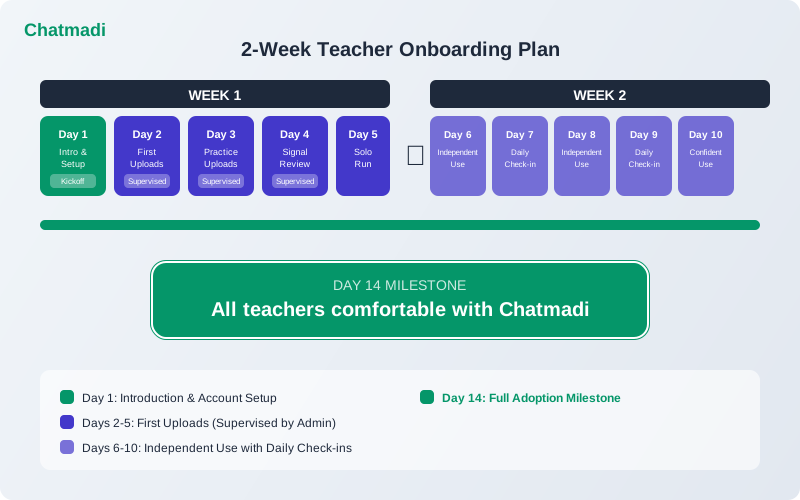
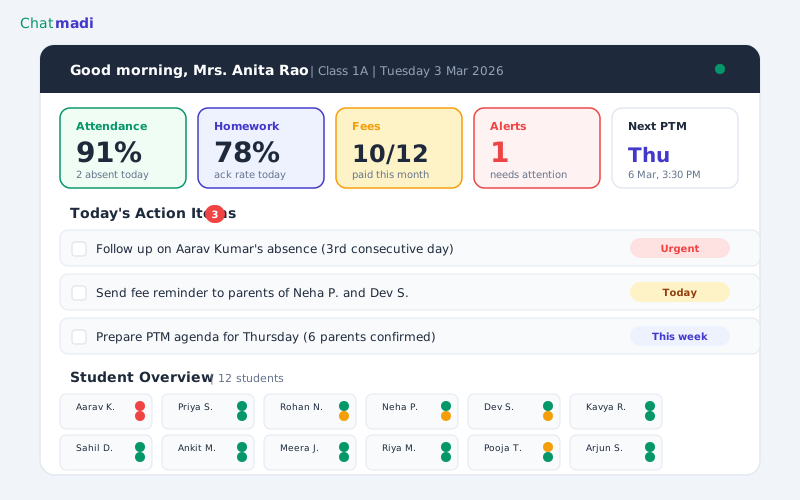
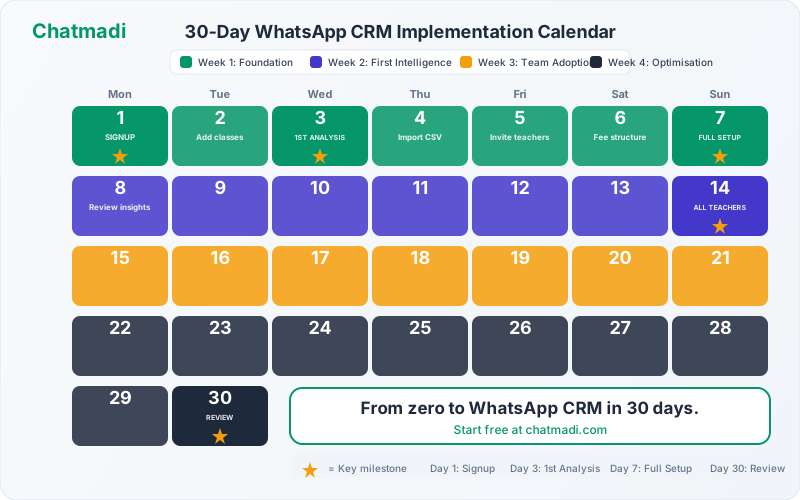
The most effective adoption plan runs over two weeks with structured milestones. Day one: introduction session. A 45-minute staff meeting where the principal introduces Chatmadi, explains why the school is adopting it, demonstrates it live, and addresses concerns. This session sets the tone. Days two through five (Week 1): supervised first uploads. Each teacher exports one WhatsApp conversation and uploads it to Chatmadi with support available. The school's tech-comfortable teachers help their colleagues. The principal or admin coordinator is available to answer questions. By Friday of week one, every teacher should have completed at least one upload and seen their dashboard populated with data. Days six through ten (Week 2): independent daily use. Teachers upload conversations independently and check their dashboard each morning as part of their routine. The principal checks the adoption dashboard to see which teachers are uploading regularly and which need additional support. Brief five-minute check-ins during lunch or after school help teachers who are struggling. Day fourteen: adoption review. The principal reviews adoption data: which teachers are using Chatmadi regularly, which are not, and what barriers exist. Teachers who have adopted share their experiences in a brief staff meeting. This peer validation is more powerful than any principal directive.
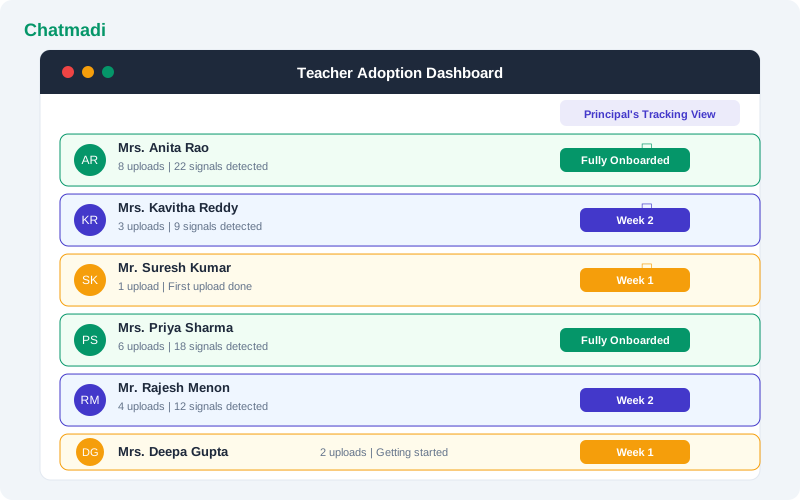
Teacher adoption dashboard showing 6 teachers with onboarding status from fully onboarded to first upload
How-To: Running Your School's First Chatmadi Training Session
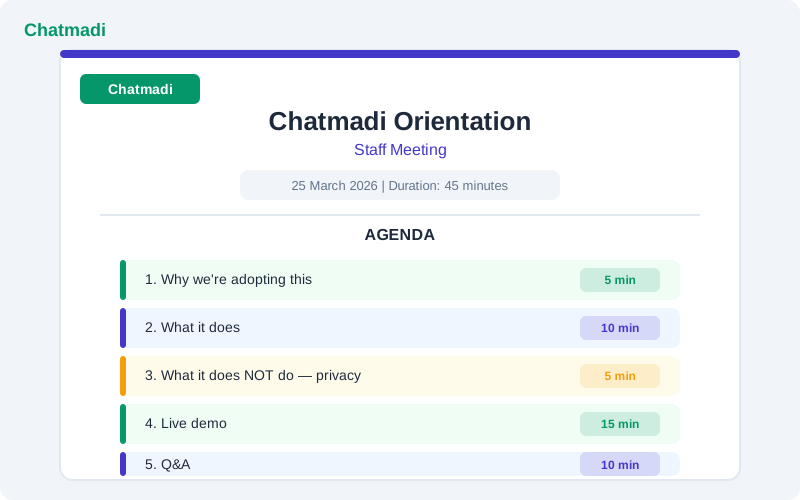
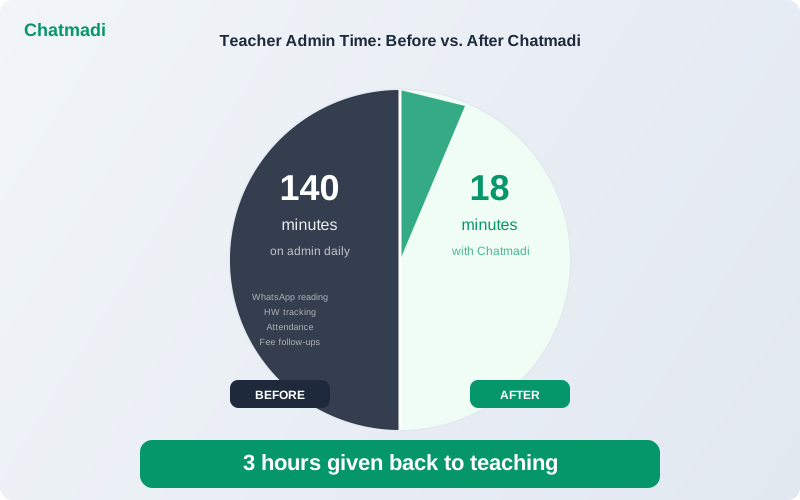
The first training session makes or breaks adoption. Here is a 45-minute agenda that works. Minutes one through five: why we are doing this. The principal explains the specific problem Chatmadi solves. Not "we are adopting new technology" but "our teachers spend 2 hours a day on WhatsApp admin. This tool cuts that to 20 minutes." Frame it as a benefit for teachers, not a management initiative. Minutes six through fifteen: what Chatmadi does. A live demonstration using real school data. Upload a conversation from a willing teacher's class group. Show the AI analysing messages in real time. Show the dashboard populating with attendance data, homework acknowledgements, and engagement scores. The live demo is the most powerful moment because teachers see their own school's data appear instantly. Minutes sixteen through twenty: what Chatmadi does NOT do. Address the surveillance concern directly. Show that Chatmadi does not rate teacher communication, does not report on message response times, and does not share individual teacher data with the principal unless the teacher's class data is part of a school-wide report. Be transparent. Minutes twenty-one through thirty-five: hands-on practice. Every teacher exports one WhatsApp conversation on their phone right now and uploads it. Walk through the three-tap export process. Have the admin coordinator available to help teachers who get stuck. By the end of this segment, every teacher should have seen their dashboard show real data. Minutes thirty-six through forty-five: questions and answers. Address every question honestly. If you do not know the answer, say so and commit to finding out. Common questions include: "Do I need to upload every day?" (ideally yes, but start with twice a week). "Can parents see what the AI detects?" (no, all data is internal). "What if the AI makes a mistake?" (teachers can correct any detection on the dashboard).
Staff training session agenda slide showing 45 minute Chatmadi orientation with time allocations
Finding and Leveraging Your School's AI Champions
Every school has two or three teachers who are naturally comfortable with technology and enthusiastic about new tools. These teachers are your AI champions, and they are the most important factor in successful adoption. Identifying champions is straightforward. They are the teachers who ask the most questions during the training session, not skeptical questions but curious ones. They are the first to complete their uploads and explore features beyond the basics. They voluntarily help a colleague with their first upload. Leveraging champions means giving them a role. Ask them to be Chatmadi coordinators for their colleagues. They become the first point of contact when another teacher has a question. They share tips during lunch breaks. They demonstrate new features they discover. Champions create peer adoption that is more sustainable than top-down mandates. A teacher who resists the principal's instruction to use a new tool will often adopt the same tool when a respected colleague says "I tried this and it saved me 30 minutes today." The champion's endorsement carries weight because it comes from someone who shares the same daily reality.
Frequently Asked Questions
How long does it take for teachers to become comfortable with Chatmadi?
Most teachers are comfortable with the basic workflow (upload conversation, check dashboard) within one week. Full comfort with all features (homework tracking, fee monitoring, engagement scores) typically takes two to three weeks.
What if a teacher refuses to use Chatmadi?
Understand the reason for refusal before pushing. If it is a technical barrier, provide additional one-on-one training. If it is a privacy concern, address it transparently. If it is general resistance to change, give the teacher time and let peer adoption create social pressure.
Should I make Chatmadi use mandatory for all teachers?
Mandatory adoption without adequate training and support creates resentment. A better approach is to make adoption easy, demonstrate clear benefits, and create social incentives through champions. Most teachers adopt voluntarily when they see colleagues benefiting.
How do I track which teachers are using Chatmadi?
The principal dashboard shows upload activity and dashboard usage across all staff accounts. This data helps identify teachers who need additional support without creating a punitive monitoring dynamic.
What is the minimum time commitment per day for a teacher using Chatmadi?
The daily routine takes approximately 10 minutes: upload the latest conversation (2 minutes) and review the dashboard (8 minutes). This is less time than teachers currently spend on manual WhatsApp tracking.
---
Technology adoption is a human problem, not a technical one. Chatmadi is designed for teachers, not just principals. Start free at chatmadi.com
Tagsreduce teacher workload school software Indiaschool productivity tools India 2025class teacher dashboard software Indiahow to monitor school staff performance IndiaChatmadi
C
Chatmadi Team
School Communication Intelligence
The Chatmadi team writes about AI-powered parent communication, school management best practices, and WhatsApp intelligence for Indian schools. Built by Eduloom Technologies OPC Pvt Ltd, Mysore.