How to Use WhatsApp Data to Prepare for Your Next School Board Meeting
In this article
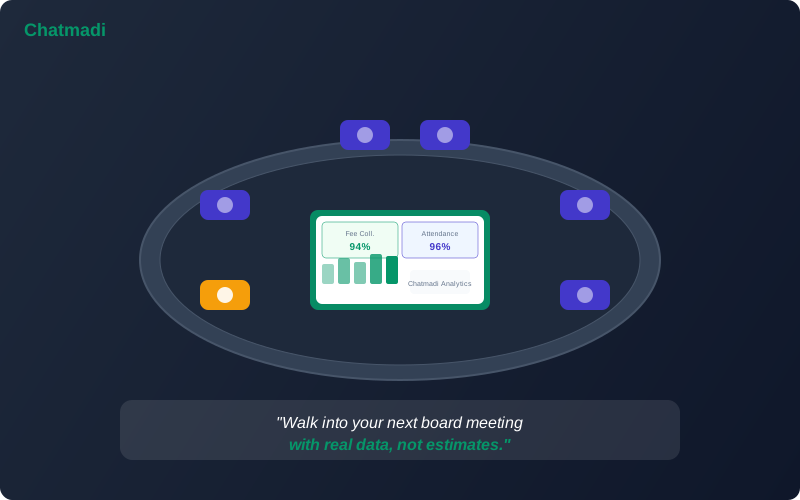
The typical school board meeting in India follows a familiar script. The board chairperson asks "How is fee collection going?" The principal says "Good, we have collected about 80% for this term." The chairperson asks "How is attendance?" The principal says "Generally fine, a few students have been irregular." The chairperson asks "Any concerns?" The principal mentions one or two issues. The meeting ends with vague action items that nobody tracks. The problem with this script is that it runs on estimates, impressions, and selective memory. The principal does not know that fee collection is exactly 78.3% because they do not have real-time fee data. They do not know that chronic absenteeism affects 14 students because they have not systematically analysed attendance patterns. They cannot report that parent engagement declined by 12% in the last quarter because nobody was measuring it. A principal reporting tool school India administrators need must turn the data that already flows through daily school operations into board-ready reports. Chatmadi's analytics dashboard does exactly this.
Why Most School Board Meetings Run on Incomplete Information
School boards in India, whether they are management committees, trust boards, or society executive committees, make decisions about budgets, staffing, expansion, and policy based on the information the principal provides. When that information is incomplete or impressionistic, the decisions are suboptimal. Three factors cause incomplete information in school board meetings. Factor one: data is scattered across multiple systems and formats. Fee data is in the accounts register or ERP. Attendance data is in class registers. Parent communication data is in WhatsApp conversations on individual teacher phones. Academic data is in exam mark sheets. No single system aggregates all of this into a unified view. Factor two: data collection is manual and time-consuming. Preparing a board report typically involves the principal collecting information from each department over several days: asking the accounts head for fee numbers, asking each class teacher for attendance summaries, and compiling academic performance manually. The preparation itself takes hours. Factor three: qualitative data is lost. The most valuable insights from a school's operations are qualitative: which parents are disengaging, which students are at risk, which teachers are handling high communication volumes effectively. This qualitative intelligence exists in WhatsApp conversations but has never been systematically captured until now.
The 8 Metrics Every School Board Wants to See (And Most Schools Can't Provide)
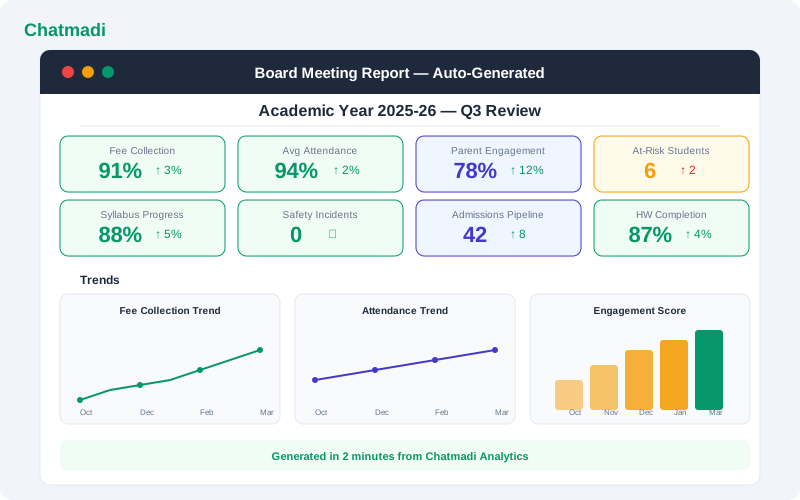
Based on what school boards consistently ask about, here are the eight metrics that matter most and that Chatmadi can provide. Metric one: fee collection rate. What percentage of fees due for the current term have been collected? Chatmadi's fee tracking provides this number in real time. Metric two: fee collection trend. Is collection improving or declining compared to the same period last year? Chatmadi tracks fee data over time and shows trend lines. Metric three: student attendance rate. What is the school-wide attendance rate, and which classes have concerning rates? Chatmadi's attendance analytics provide this at the school, class, and individual student level. Metric four: chronic absenteeism count. How many students have missed more than 10% of school days? Chatmadi's absence pattern engine identifies these students automatically. Metric five: parent engagement score. What is the average parent engagement across the school, and how has it changed this quarter? Chatmadi's composite engagement metric provides this data. Metric six: PTM attendance rate. What percentage of parents attended the last PTM? Are rates improving or declining? Chatmadi tracks PTM attendance over time. Metric seven: safety incidents. How many safety alerts were raised this quarter, how many were resolved, and what was the average resolution time? Chatmadi's safety log provides this data. Metric eight: at-risk student count. How many students are currently flagged as at-risk based on combined attendance, engagement, and academic signals? Chatmadi's at-risk detection provides this count with the ability to drill into individual student details.
Auto generated board meeting report showing 8 headline metrics trend charts and generation timestamp
How Chatmadi's Analytics Generate Board-Ready Reports
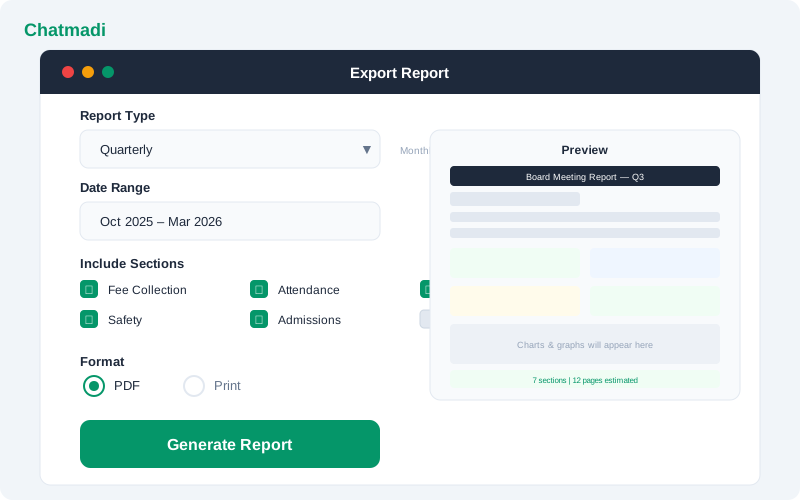
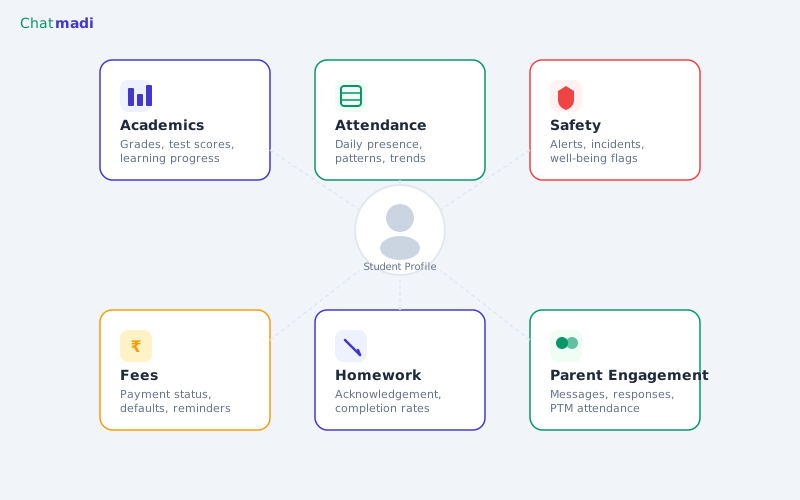
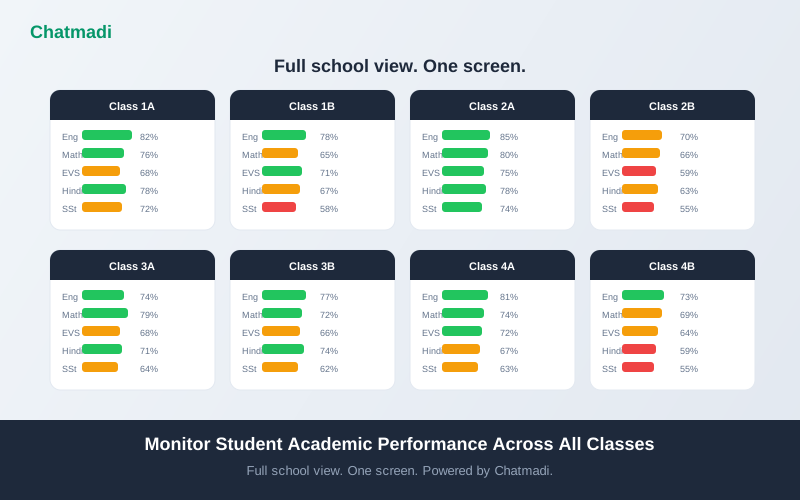
Chatmadi's analytics dashboard aggregates data from all modules (conversations, fees, attendance, academics, safety, engagement) into a unified view that the principal can access at any time. For board meeting preparation, the principal uses the report export feature. The export process takes less than 5 minutes. Step one: select the report type. Monthly reports cover a single month's data. Quarterly reports cover three months with trend analysis. Annual reports cover the full academic year with year-over-year comparisons if data from the previous year exists. Custom reports allow the principal to select any date range. Step two: select the sections to include. The principal checks the sections relevant to the board's agenda: fee collection, attendance, academics, parent engagement, safety, admissions, or all of the above. Step three: select the format. PDF generates a printable report with charts and tables. The principal can also take screenshots of specific dashboard views for inclusion in a presentation. Step four: generate and review. The report is generated in seconds. The principal reviews it, adds any contextual notes that the data does not capture, and the report is ready for the board meeting.
Export report screen with report type selector section checkboxes format options and date range picker
How-To: Preparing a Data-Backed School Board Report in Chatmadi
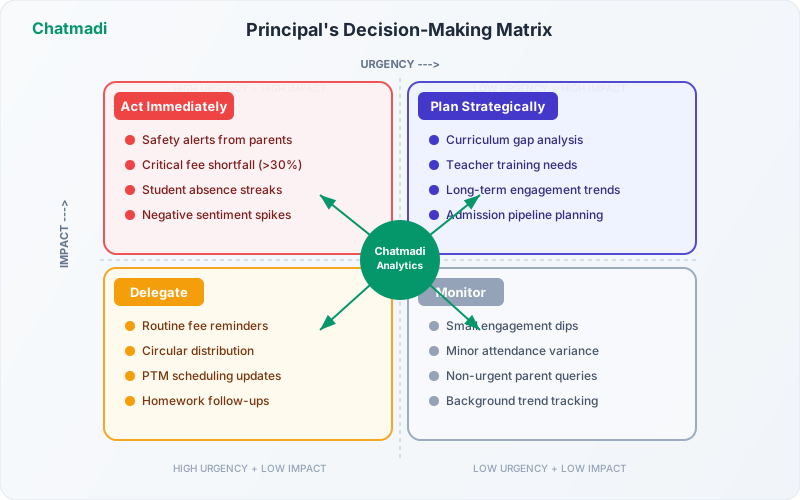
Here is a practical step-by-step guide for preparing your next board report using Chatmadi data. One week before the meeting: review the analytics dashboard to identify the key themes for this quarter. Are there areas of concern (declining attendance, fee collection shortfall) or areas of success (improved engagement, resolved safety incidents)? Note three to five headline points you want to communicate to the board. Three days before the meeting: generate the quarterly report from Chatmadi. Review each section. For any metric that shows a significant change (positive or negative), prepare a brief explanation. Boards want to know not just the numbers but why the numbers changed. One day before the meeting: create a simple summary page with the eight key metrics, each with a one-line commentary. Print copies for board members who prefer paper. Have the Chatmadi dashboard accessible on a laptop or tablet for the meeting in case board members want to drill into specific data. During the meeting: lead with the headline metrics. Show the fee collection rate, attendance rate, and engagement score first. These are the numbers the board cares about most. Then walk through any areas of concern with the data as evidence. End with the positive trends and the actions the school is taking. After the meeting: record the board's decisions and action items. Track them in your own system. At the next meeting, open with "Here is what we agreed on last time and where we stand on each item." This creates accountability and demonstrates that board meetings produce results.
Presenting School Data to a Board That Isn't Tech-Savvy
Many school board members are not technology professionals. They are community leaders, education veterans, or trust members who may not be comfortable with dashboards and data visualisations. Here is how to present Chatmadi data effectively to this audience. Use simple numbers, not percentages. "We collected 38 lakh of the 48 lakh due" is more concrete than "79.2% collection rate." Use comparisons, not absolutes. "Attendance this quarter is 91%, up from 87% last quarter" is more meaningful than "91% attendance." Use stories alongside data. "Our at-risk detection flagged Rohan in October. His teacher intervened, and his attendance improved from 72% to 89%. Without the system, we would not have noticed until the exam results." Use printed reports, not live dashboards. Board members who are not tech-savvy are more comfortable with a paper document they can annotate than a screen that scrolls and clicks. Use Chatmadi's export to create a clean printed report. Limit data to the eight key metrics. Resist the temptation to show every dashboard and every chart. Board members need a summary that enables decision-making, not a comprehensive data dump.
Frequently Asked Questions
Can Chatmadi generate reports automatically before each board meeting?
Chatmadi provides on-demand report generation. The principal selects the date range and sections and generates the report. Scheduled automatic report generation is planned for a future release.
What if our board meets only twice a year?
Generate a half-yearly report covering the full six-month period. Chatmadi's custom date range feature allows you to select any period for the report.
Can board members access the Chatmadi dashboard directly?
Board members can be given view-only access to the principal dashboard if the school chooses. This allows them to check data between meetings. However, most schools prefer to control the narrative by presenting curated reports.
What data is included in the report that comes from WhatsApp?
Fee payment detections, absence notifications, homework acknowledgement rates, safety alerts, and parent engagement scores are all derived from WhatsApp conversation data analysed by Chatmadi's AI.
How accurate are the analytics for board reporting?
The analytics are as accurate as the data in the system. Schools that upload conversations regularly and maintain up-to-date student records get the most accurate reports. Chatmadi flags data gaps so the principal can address them before generating reports.
---
Your board deserves data, not guesswork. Chatmadi turns your school's WhatsApp data into board-ready intelligence. Start free at chatmadi.com
Tagsprincipal reporting tool school Indiaschool data analytics Indiaschool analytics platform IndiaAI tools for school principals IndiaChatmadi
C
Chatmadi Team
School Communication Intelligence
The Chatmadi team writes about AI-powered parent communication, school management best practices, and WhatsApp intelligence for Indian schools. Built by Eduloom Technologies OPC Pvt Ltd, Mysore.